
What do they see when they arrive?
They see your store's name and product images before they open a listing. If your photos use different backgrounds or your header looks unrelated to your labels, they notice the mismatch.
Open your home page and follow the link into your catalog. Use a label like Shop or Browse products so someone visiting for the first time knows where it goes. Keep your brand name the same in the header and on your packaging.
Does your catalog look like it belongs together?
Your catalog should look like one set of listings. Give your photos the same crop and put the size in the same place on each card.
Read neighboring listings side by side. If one uses a full name and another uses an unexplained abbreviation, fix the difference. Similar names don't tell you whether products are equal in quality or interchangeable.
What happens when they open a product?
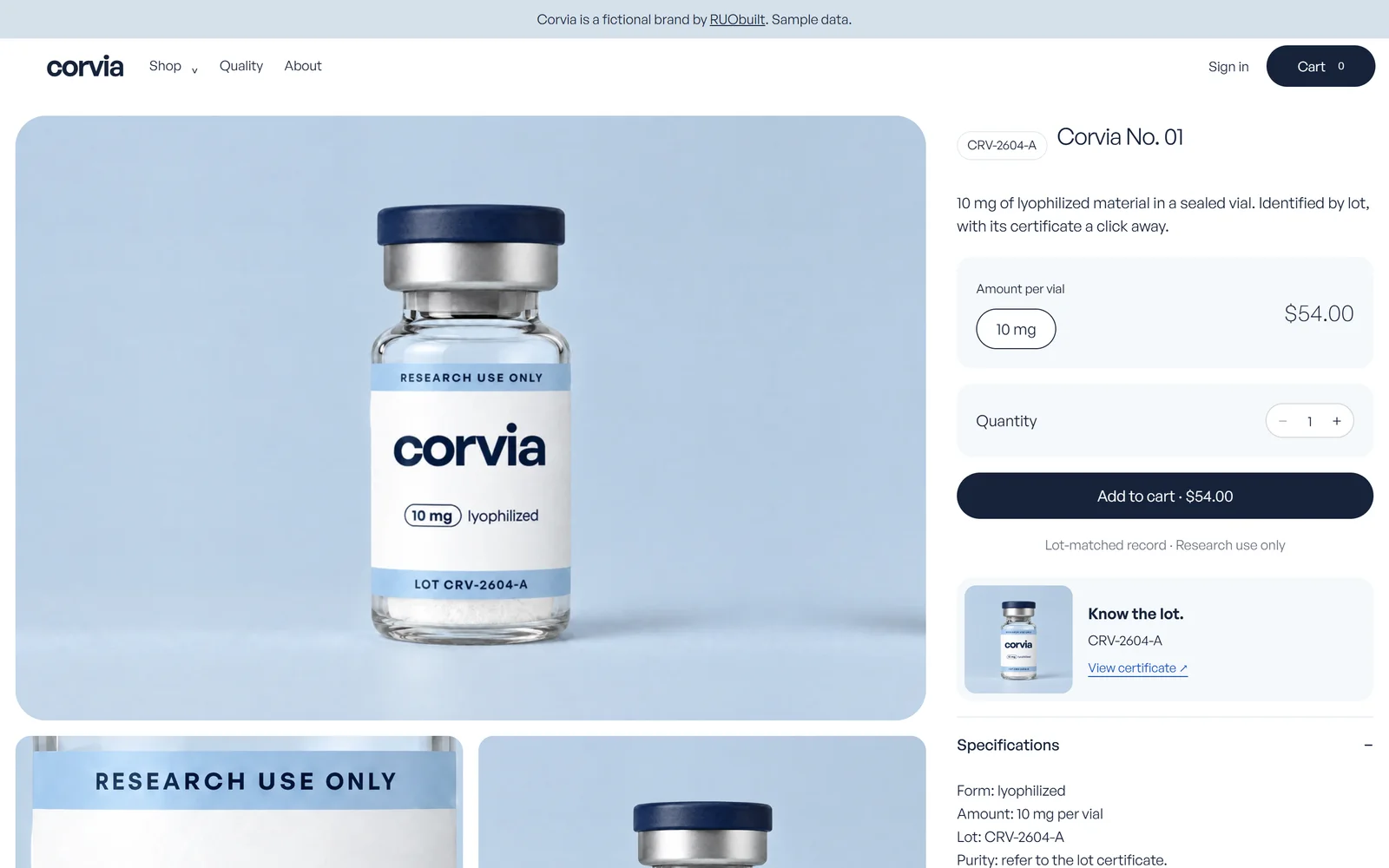
They should see the same name and size they chose in the catalog. Compare the heading with the image label, then check that the selected option is clear.
Put the lot identifier and its certificate beside the buy button. Open that link yourself and check that it leads to the right document. A generic badge leaves the reader with no record to inspect.
Can they use your store on a phone?
They should be able to read the product details and tap the controls without zooming. Try it on your own phone, including the menu and the certificate link.
Watch what happens when you return from the document. If the page forgets your chosen size or sends you back to the catalog, write that down for the build review. Check long product names too.
Does the cart still look like your store?
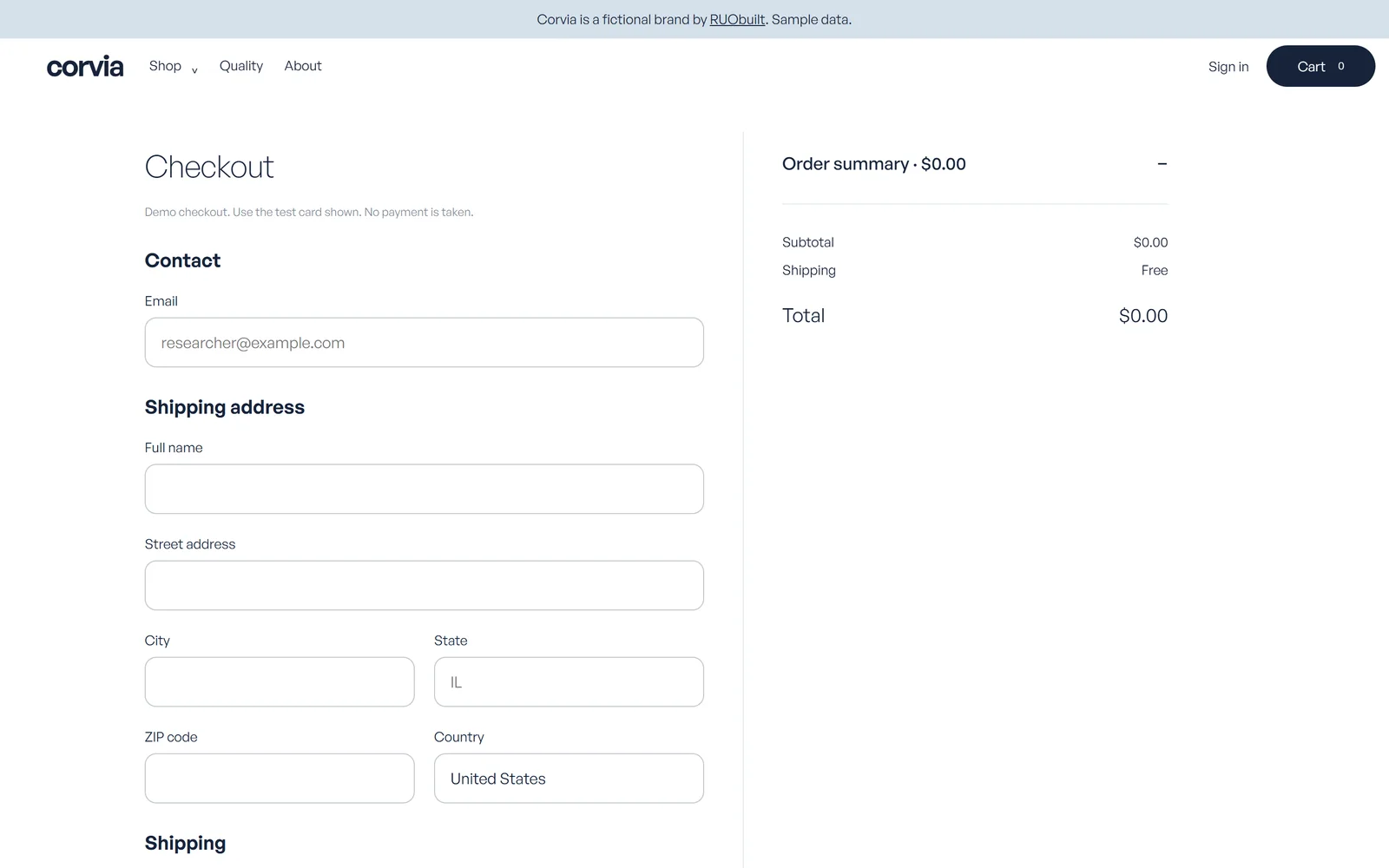
Your cart should keep the same product names and show the size someone selected. Keep shipping and returns links close enough to open before the next step.
Use the same wording on buttons throughout the visit. Explain errors beside the field that needs fixing, and leave a clear way to contact you. RUObuilt makes no guarantee of processor approval or uninterrupted processing.
Where do you start fixing the gaps?
Start with one product and follow it from the home page to the cart. Write down the exact page and the detail that changes, such as an old label image or a missing lot link.
Get missing records from the source before you change the page. A better layout won't give you information you don't have.
What do you check before calling it finished?
Run through these checks with a real listing from your catalog.
- Match the image label to the listing.
- Open the certificate for the displayed lot.
- Try the whole visit on your phone.
- Check that your contact link works.
What else might you want to know?
Here are the other questions to settle before you change your store.
Do similar catalogs mean the products are the same?
No. You can't establish equal quality or interchangeability from product names or photographs.
Can a good design prove I run a trustworthy store?
No. You still need accurate records and policies you can follow. Design makes those easier to inspect.
Is changing my logo enough?
Check the pages around it too. Your photos and page headings should use the same brand as your logo.
Where should I start?
Pick one listing on your phone. Follow it through to the cart and note anything that doesn't agree.
What does a finished build look like?
You can open the Meridian fictional demo store and Corvia fictional demo store to see our work, both shown with sample data. Your build follows the agreed scope and the information you supply.
Full brand identity is a separate scope, included in Flagship. We make no guarantee of compliance or any business outcome.
Your store and everything specific to it: the custom code, the design, the product images, the content, and the database, assigned to you once final payment clears. The repository, deployment project, database and email accounts transfer into accounts you own and control.
The reusable platform components underneath, the ones we build every store on, stay ours. You get a perpetual, royalty-free licence to use them inside your store, for your own business, forever. The only thing you can't do is resell them or use them to build stores for other people.
Third-party components keep their own licenses; the agreement's rights revert if a payment is reversed. There's no recurring licence fee, and you pay your own providers after handoff. Included services end on fixed dates; paid add-ons are separate and opt-in.